
COMMUNITY MARKETPLACE + FARMERS MARKET POS
Grow food.
Reward contributions.
Connect your community.
Volunteer hours, member credits, online food orders, and market checkout—connected through one shared inventory.
Built by Web Breeze Solutions. Put into practice at The Harvest Collective.
PARTICIPATION → FOOD ACCESS
From helping in the garden to bringing food home.
Community gardens depend on people showing up. Connecting that work to the food they help produce can become a patchwork of paper logs, spreadsheets, and checkout records.
- Contribute time
- Receive harvest credits
- Order available food
Staff approve volunteer hours and record harvests. Your allocation rules determine how harvest value is shared. Members browse available food and place orders using their account balances.
How are credits and member orders connected?
Approved hours influence each contributor’s share of recorded harvest value. Allocation percentages and contribution weighting are configurable.
For example, an organization could allocate $50.00 of a $100.00 harvest to workers, $10.00 to the garden owner, and $40.00 to the organization. Harvest value is based on product prices; it is not cash revenue.
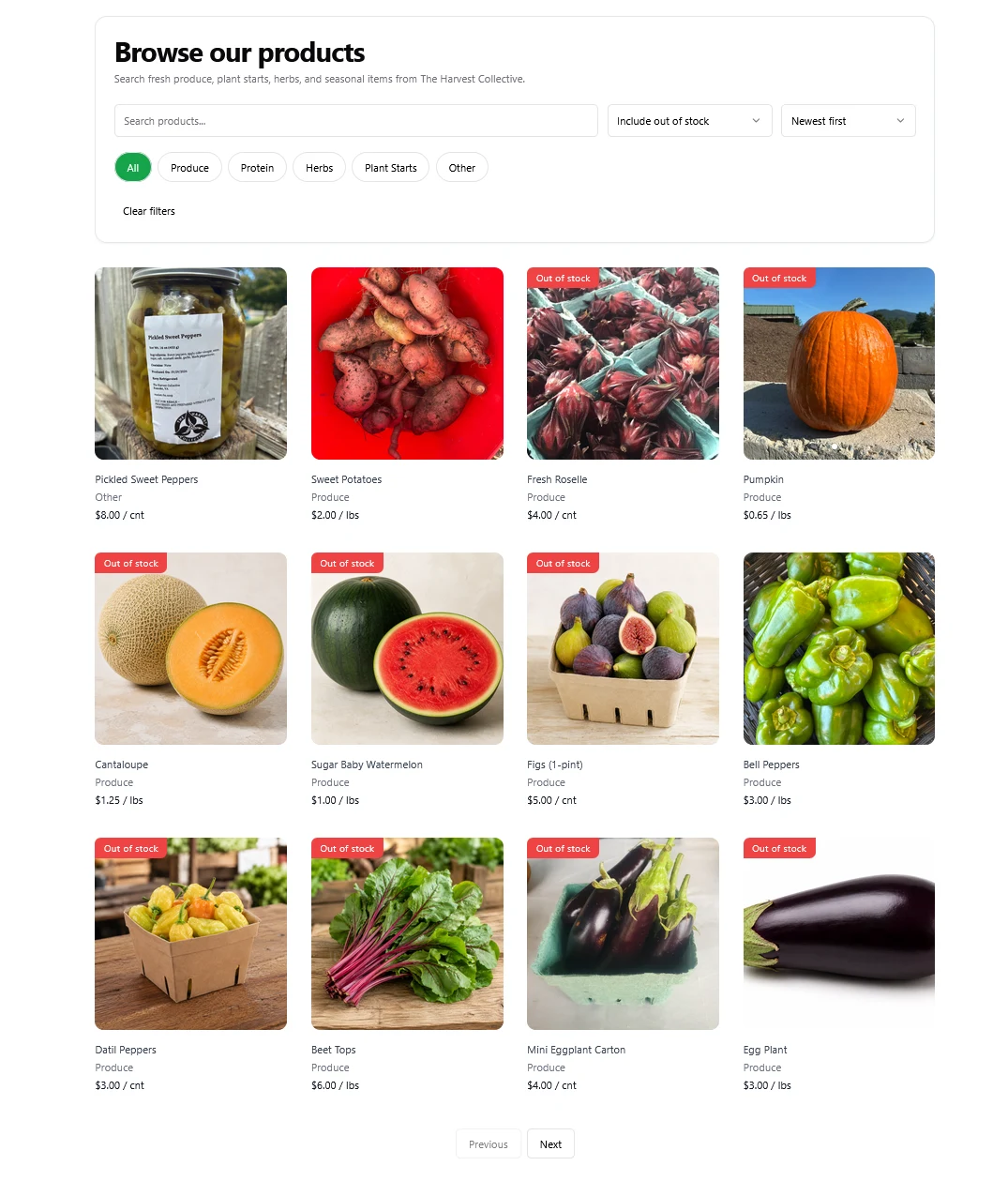
An order deducts its cost from the member’s balance and its quantities from available stock. Staff record fulfillment without charging again. Members can review their balances and account activity.
SELL ONLINE AND AT THE MARKET
Two ways to distribute food.
One shared inventory.
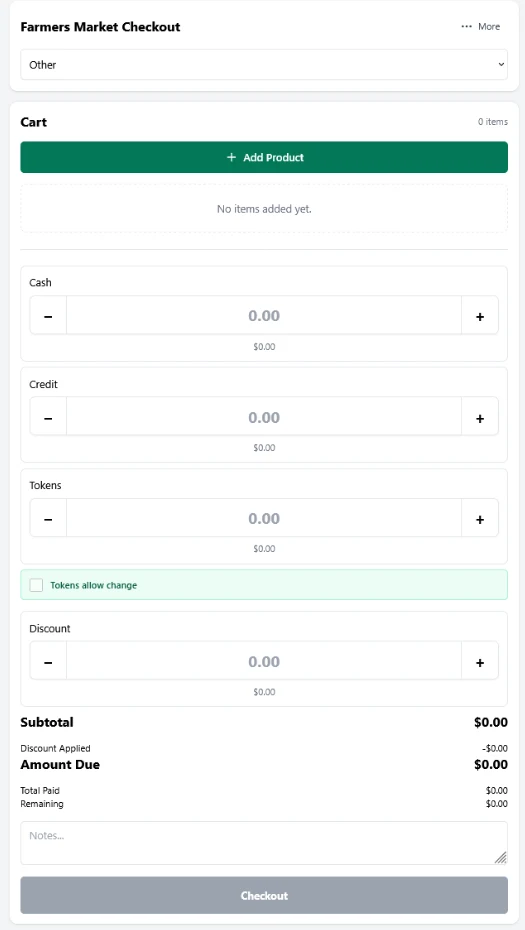
Members order through your online marketplace. Your team sells at farmers markets through a built-in point-of-sale system.
Every farmers market transaction deducts from the same inventory used by the marketplace. Online orders reduce that shared stock, too.
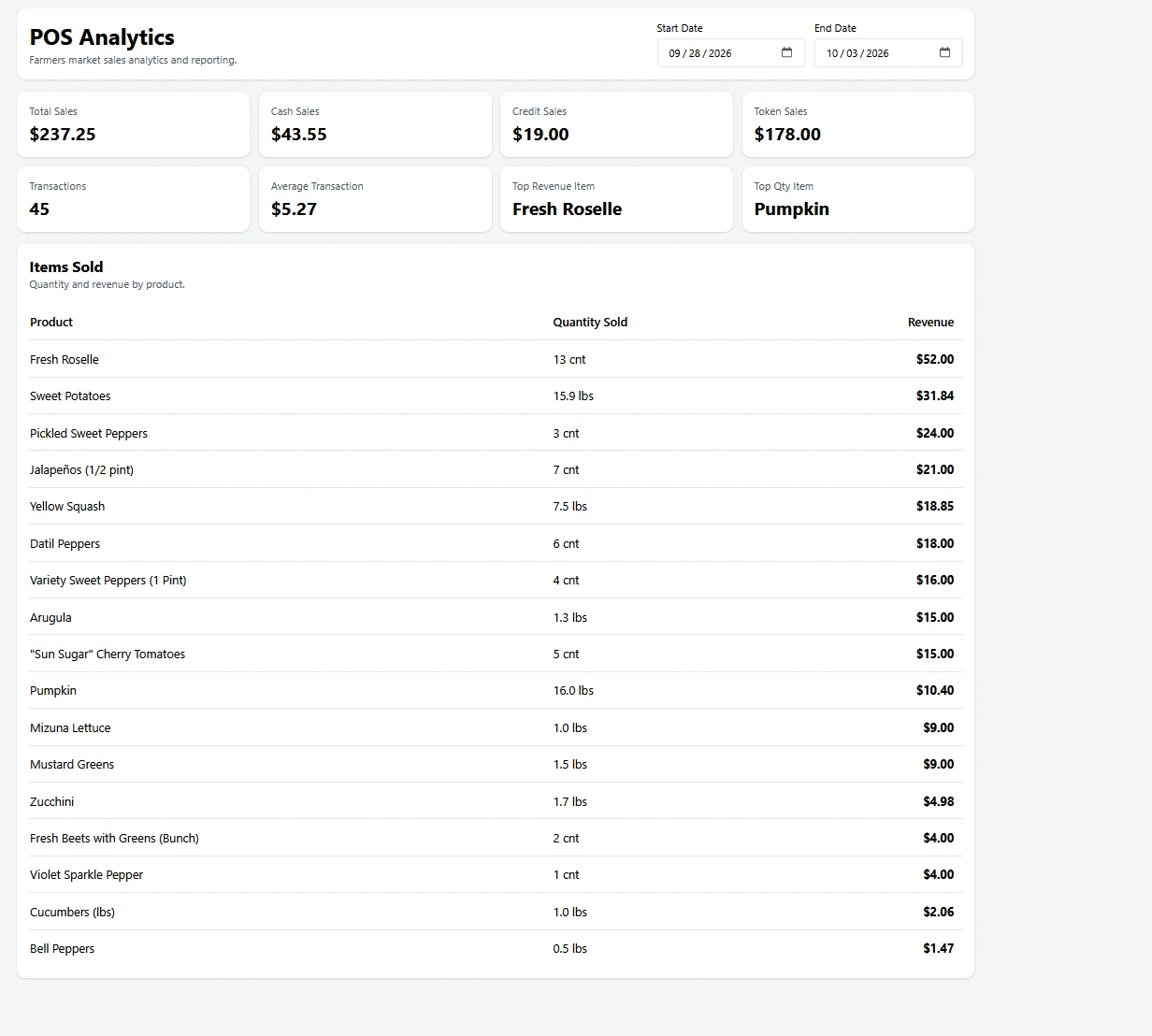
The POS goes beyond checkout, with sales analytics, till counting, inventory reconciliation, and tax calculations connected to your market records.
- Sales analytics
- Till counting
- Inventory reconciliation
- Taxes
Explore the POS features
- Market checkout. Record purchases and cash, card, or token payments, along with discounts and transaction totals.
- Sales analytics. Review sales totals, payment breakdowns, transaction counts, and product performance.
- Till counting. Record cash counts and compare the till with recorded cash activity.
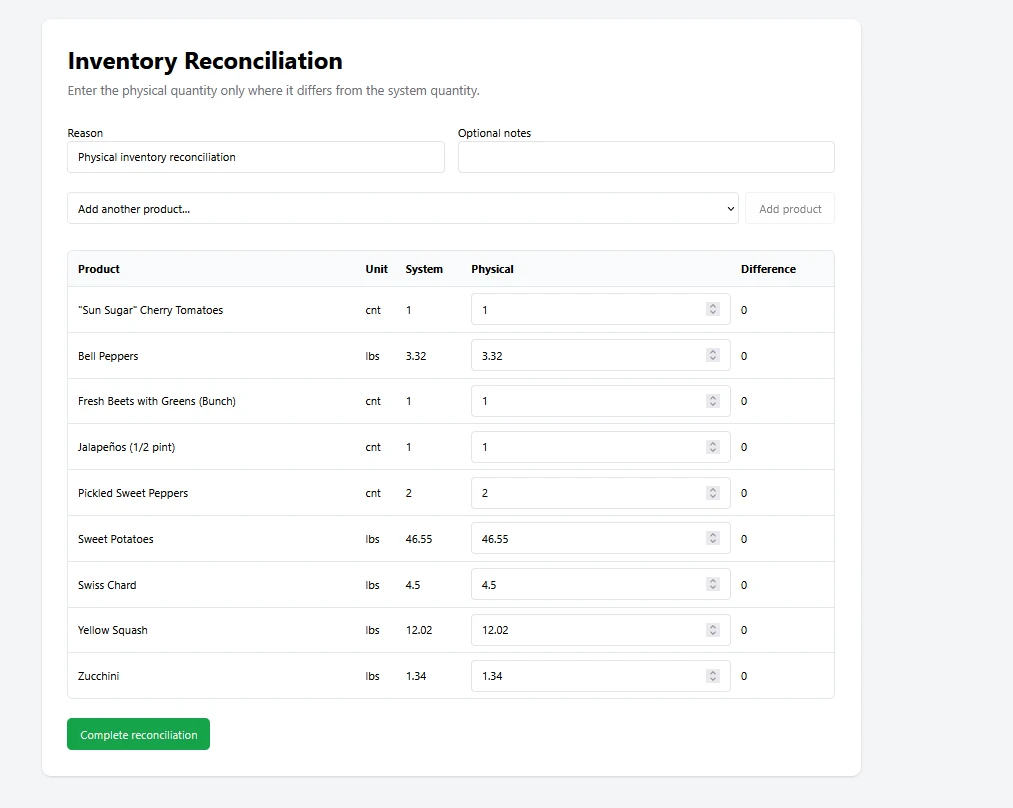
- Inventory reconciliation. Compare physical stock with system quantities and record corrections.
- Taxes. Calculate and record applicable taxes during checkout.
How do stock counts and reconciliation work?
Harvests add stock. Member orders and public market transactions deduct from it. Public payments and member credits have separate histories while drawing from the same available inventory.
Staff compare physical counts with recorded quantities and document corrections, keeping the inventory connected to what is actually on hand.
FROM HARVEST TO COMMUNITY IMPACT
See where the harvest goes.
Bring harvests, member orders, farmers market sales, and inventory into one view. Follow a product through both distribution channels, review recorded losses, and see what is available now.
HARVEST & INVENTORY OVERVIEW
Snow peas
Understand food distribution.
Review activity for a selected date range and product, with breakdowns by member and market. Compare harvest value with completed orders, market sales, and shrinkage to identify differences that need a closer look.
Follow member purchasing power.
See credits earned, balances used for orders, and funds still in member wallets. Member-level comparisons help staff understand how participation connects to food access.
How should these totals be read?
These are period totals from shared inventory, not allocations of individual harvests. Current stock and wallet balances are snapshots now; activity follows the selected dates. Harvest and inventory values are estimated at current product prices, while market revenue uses historical prices where available.
Totals may not balance because of opening inventory, other stock movements, pending orders, and activity outside the selected period. Credits and deposits share one wallet, so earned, redeemed, and remaining balances do not form a closed allocation.
THE HARVEST COLLECTIVE / FIRST MARKET SEASON
Participation became food orders.
During its first farmers market season, THC used the platform to connect garden participation with food distribution.
Recorded activity through September 8, 2026. Contributor orders may use earned credits, added funds, or both.
THC’s people grew, sold, and distributed the food. WBS built the software connecting the work behind it.
Visit THCMore first-season results and reporting details
The same reporting period includes 82 recorded harvests and $8,329.29 in harvest value, calculated from product prices rather than cash revenue.
The 104 fulfilled, non-voided food orders were placed by 10 members with approved volunteer hours. Hours include approved entries; market transaction totals include completed sales.
Sources: THC operational exports and THC Market System Manual version 8. Screenshots show the supplied interface examples and may reflect a different date than the reported results.
IMPLEMENTED BY WEB BREEZE SOLUTIONS
Your community. Your rules.
Your organization chooses how contributions and harvest value are shared. WBS configures your branding, domain, products, gardens, pickup locations, and market operations—then helps you launch and provides ongoing technical support.
What does an implementation include?
We define your contribution rules, harvest allocations, catalog, and ordering workflow; configure the application; set up hosting and your domain; and prepare your team to record hours, harvests, sales, and fulfillment.
Justin Baker developed the THC marketplace and worked directly in its operations. Ongoing maintenance and additional changes are scoped around your organization’s needs.
See how it could work for your organization.
Walk through the marketplace and POS, explore THC’s implementation, and discuss your community’s needs.
Bring your garden model. Let’s map out the system that supports it.